

Location tracking has become a vital tool that helps us stay connected and safe. With the rise in smartphone use, many people rely on an iPhone location tracking app to monitor their loved ones' whereabouts. Life 360 and Find My are both great location-tracking tools. Next, let's look at their pros, cons, and differences so you can choose the one that suits you best!
Part 1. Life360 and Find My Overview
Before discussing the in-depth differences between Life360 and Find My, let's learn what Life360 and Find My are.
What Is Life360
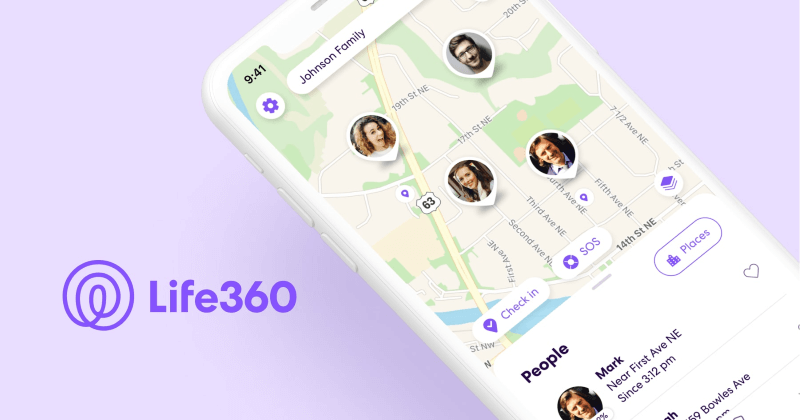
Life360 is a location-sharing family tracking app with real-time tracking, safety alerts, and emergency assistance features. Aimed primarily at families and close-knit groups, Life360 prioritizes safety and detailed location tracking, making it an excellent choice for parents and even guardians who want to stay updated on the current location of their loved ones.

What Is Find My
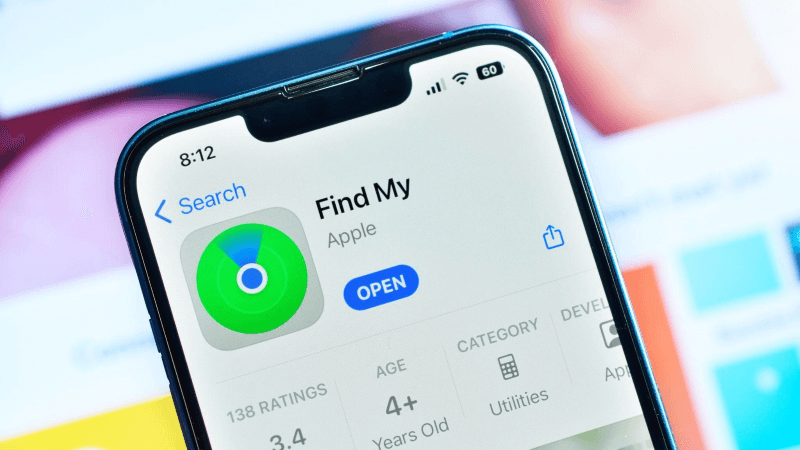
Find My is an Apple-exclusive app that enables users to share their locations and whereabouts with friends and family. It is seamlessly integrated into Apple devices and convenient for iOS users. Most importantly, it doesn't require downloading additional apps. While straightforward in design, Find My is a solid choice for smaller groups who want simple location sharing without additional family safety features.
Part 2. Life360 vs Find My: Key Differences
Life360 and Find My are location-tracking apps that serve different purposes. Life360 is designed for family safety and features real-time location sharing, driving reports, and emergency alerts. Find My, on the other hand, primarily helps track Apple devices and has more privacy-centric features. See the table below for key differences between Life360 vs Find My.
| Key Differences | Life360 | Find My |
|---|---|---|
| Availability | Android and iOS | Only on Apple devices, including iPhone and iPad |
| Items Location | Bluetooth Tile tracker | Find friends or locate items through Airtag |
| Safety | Stores user data on secure servers | Keeps location data secure |
| Privacy Considerations | Shares data with third parties | Does not share data with third parties |
| Advanced Safety Features | Crash detection, SOS alerts, and emergency response actions | Lacks advanced safety features and focuses only on location-sharing capabilities |
| Additional Features | Set up geofencing zones and trigger notifications when someone enters/leaves a designated area | Only basic location notifications |
| Battery Drainage | Drains battery quickly | Does not drain the battery quickly |
| Purpose | Feature-rich service with many choices for tracking the whereabouts of friends and family | Assists in finding the contacts by seeing their current location on the map |
| Cost and Subscription Plan | Offers a free version with just basic features and a premium version with advanced features and functionalities | Free to use with no subscription tiers or premium features |
Part 3. Life360 vs Find My: Pros and Cons
Both Life360 and Apple Find My provide valuable location-tracking features, but each has its share of limitations. While Life360 excels in family safety tools, it may raise privacy concerns. Apple Find My, designed for Apple users, is more straightforward but lacks advanced safety features. Below are the pros and cons of each app to help you better understand Life360 vs Find My.
Pros and Cons of Life360
Pros
- Provides excellent location-tracking features: You can use Life 360's features to check on your loved ones to ensure their safety.
- Safe driving features: Parents can use safe driving features to monitor their children's driving habits.
- Customization of alerts and notifications: Alerts and notifications can be customized according to your choices.
- SOS alert feature: It sends a message to the predefined contacts in case of emergency.
- Tracks and shares device location history: It saves and shares a full record of the locations where the connected device has been moving. You may know which places the device owner has been visiting.
Cons
- Privacy concerns: It shows extraordinary information about the device owner with the Life360 connection. This may lead the device owners to raise concerns for their privacy.
- Drains battery quickly: This app constantly runs in the background and drains the battery faster than usual.
- Expensive subscription plans: The Platinum version of this app with full features is expensive and may not be affordable for most users.
Pros and Cons of Find My
Pros
- Accurate device location data: The Find My app shows majorly accurate device location data. It helps you find your devices quite easily.
- Tracks multiple devices with a single ID: You can track multiple devices with one ID and password, so there is no need to save or remember numerous IDs.
- Allows locking and erasing data: This app ensures your devices are protected even if lost. You may lock or erase your data for the list of phones using it.
- Advanced technology to find lost devices: Apple goes beyond using the usual technology to find lost devices. Instead of relying on GPS and an internet connection, the Find My app uses the iOS device network to find lost phones.
- High-end privacy for Apple users: The end-to-end encryption of the device location data gives Apple users more privacy.
Cons
- Limited functionality: This app can only find Apple devices. It doesn't work for other devices, so it is not universal.
- No extended features: This app's primary feature is only to locate lost devices. It doesn't have extended features like monitoring the other devices.
- Cannot control device usage frequency: There are no features to monitor the activities of device owners using this app. You can't control the frequency of device usage by device owners using this app.
Part 4. Which is Better: Life360 or Find My? Key Factors to Consider
Here are some factors to consider before choosing Life360:
- Organized Event Timeline: View a detailed, daily timeline of all activities within your Circle, including where and when each member traveled.
- Collision Detection: If an accident occurs at speeds over 25 mph, the app automatically detects it and alerts the driver, passenger, or emergency contacts.
- SOS Feature: Use the SOS function to send an immediate location-based alert to your Circle and emergency contacts without speaking.
Here are some factors to consider before choosing Find My:
- Geofencing Notifications: Get notified when a contact arrives or leaves a specific location within a set radius.
- No Extra Storage Needed: The app comes pre-installed on iPhones and doesn't require additional storage space.
- Free GPS Service: Apple offers GPS location tracking service without charges or subscription fees.
Part 5. Bonus Tip: How to Fake Location on Life 360 and Find My
You have already seen the detailed description of Life360 vs Find My. However, the best method to optimize and simulate location data on both apps is to use a specialized tool such as AWZ AnyPorter. It is a versatile location-spoofing software that allows users to easily change their iPhone's location. Whether for privacy, gaming, or other location-based activities, this tool lets you spoof your GPS location to anywhere in the world.

Key Features of AWZ AnyPorter
- Easily fake GPS location on iPhone
- Spoofs location in one click
- Records historical locations
- Moves along a customized route
- Works seamlessly with all iOS devices
Download AnyPorter and try it now!

Final Thoughts
Here, we walked you through a detailed guide of Life360 Vs. Find My to help you better understand both location-sharing apps, including their costs, features, and privacy concerns. While both apps offer unique benefits for different user needs, you must be mindful of your requirements before settling for any. Additionally, you can use AWZ AnyPorter to fake your location on Life360 or Find My without hassle.


 1. PGSharp iOS Version: Does It Work & What’s the Alternative